
The days of submitting manual paperwork to obtain a Certificate of Origin (CoO) are over. As per the current Directorate General of Foreign Trade (DGFT) framework, the application and issuance of CoOs must be done through a designated electronic platform.
The DGFT has rolled out the revamped eCoO 2.0 system, which provides a centralized electronic filing framework for exporters. Whether you need a Preferential or Non-Preferential CoO, the process is now entirely digital.
Here is the complete step-by-step process on how to apply for a Certificate of Origin online in India.
Step 1: Gather the Prerequisites
Before logging into the portal, ensure you have the following ready:
-
Active IEC Code: Your 10-digit Import Export Code must be updated and linked to your DGFT profile.
-
Class 3 Digital Signature Certificate (DSC): Required to digitally sign your online application.
-
Export Documents: Scanned copies of your Commercial Invoice, Packing List, and Bill of Lading (or Airway Bill).
Step 2: eCoO Registration on the DGFT Portal
If you are a first-time user, you must register your business on the Common Digital Platform for the Issuance of Certificate of Origin.
-
Visit the official DGFT eCoO portal.
-
Click on Registration and select Exporter/Importer.
-
Enter your 10-digit IEC code. The system will auto-fetch your company details from the DGFT database.
-
Verify the details using the OTP sent to your registered email and mobile number.
-
Register your Class 3 DSC on the portal.
Step 3: Fill Out the Application Form
Once registered, log in to your dashboard to start the application:
-
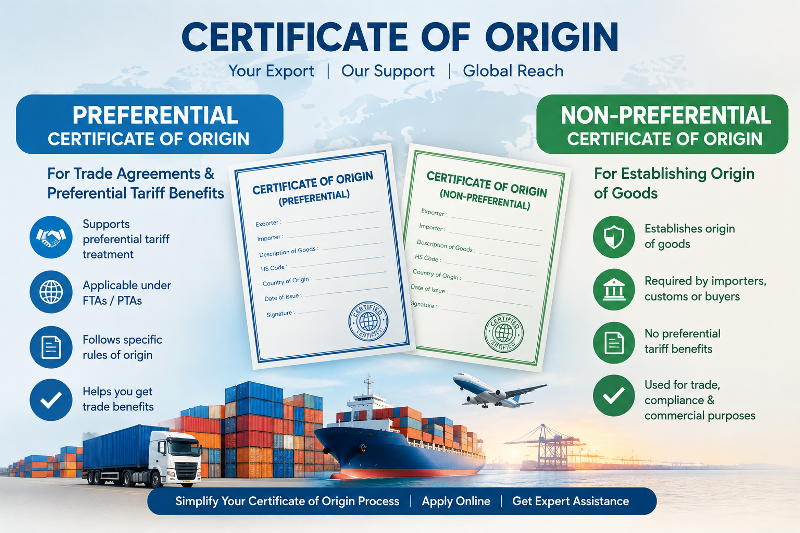
Select the type of certificate you need. The DGFT framework explicitly recognizes two categories: Preferential (for trade agreement benefits) and Non-Preferential (for standard customs clearance).
-
Select the relevant Free Trade Agreement (if applying for Preferential) and choose the appropriate issuing agency (e.g., EIA, FIEO, or your local Chamber of Commerce).
-
Enter your shipment details, including the ITC-HS codes, product description, and quantity.
-
Upload the supporting documents (Invoice, Packing List, etc.).
Step 4: Pay the Certificate of Origin Fees
After filling in the details, you will be directed to the payment gateway. The fees vary depending on the issuing agency and the type of certificate requested. Payment must be completed online.
Step 5: Issuance and Download
Once submitted, the designated issuing agency will review your electronic application. If the documentation is correct, they will approve it digitally. You can then download the digitally signed Certificate of Origin directly from your eCoO dashboard.
Need Help with eCoO Registration?
Navigating the eCoO 2.0 portal and ensuring your products meet the strict origin criteria can be confusing. We provide complete application and documentation assistance to help you secure your certificates quickly.
(Note: We provide documentation assistance and consulting; we are not the authorized issuing agency itself.)
Contact Y.C. Consultation in New Delhi for fast, reliable support:
-
Mobile / WhatsApp: 9891065895
-
Email: indiaieccode@gmail.com
-
Website: https://ieccode.in

Pingback: Who Issues Certificate of Origin in India?