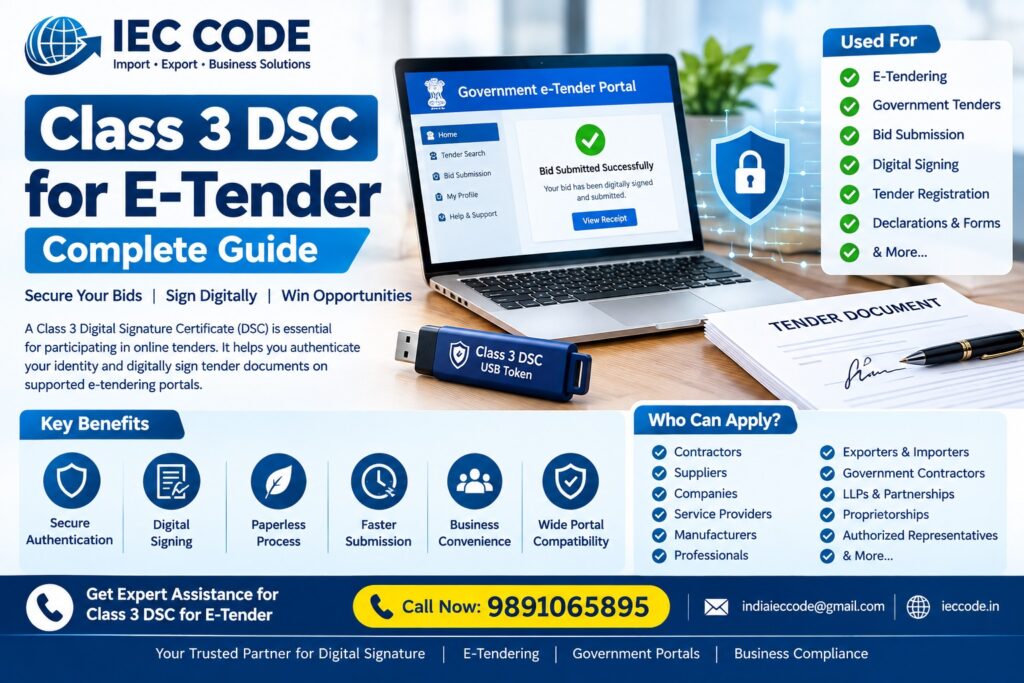
Online tendering has become an essential part of business for contractors, suppliers, service providers, companies, and professionals who participate in government and private procurement processes. In many e-tendering systems, a Digital Signature Certificate (DSC) is used for secure authentication and digital signing of tender-related documents.
A Class 3 DSC for E-Tender can help eligible users authenticate themselves and digitally sign documents on tender portals where such a certificate is accepted or required.
If you are planning to participate in online tenders, this guide explains everything you should know about Class 3 DSC for E-Tendering, including its uses, application process, documents, USB token, price, installation, renewal, and common technical issues.
What Is Class 3 DSC for E-Tender?
A Class 3 Digital Signature Certificate is a digital certificate issued by a licensed Certifying Authority to verify the identity of a subscriber and support secure digital signing.
A Class 3 DSC for E-Tender refers to a DSC used for applicable electronic tendering activities on portals that require or accept this certificate.
Depending on the tender portal and user role, a DSC may be used for activities such as:
- User registration
- Bidder authentication
- Digital signing
- Tender submission
- Document signing
- Bid submission
- Online declarations
- Financial or technical bid-related processes
- Other portal-specific activities
The exact certificate requirement can vary from one tender portal or tender notice to another. Therefore, applicants should always check the specific tender portal requirements before purchasing a DSC.
Why Is DSC Required for E-Tendering?
Traditional tendering often involved physical documents and signatures. E-tendering allows many tender activities to be completed electronically.
A digital signature helps establish the identity of the signer and provides a mechanism for digitally signing electronic information.
For eligible tender activities, DSC can provide:
Secure Authentication
The certificate can help authenticate the registered user on the applicable tender portal.
Digital Signing
Documents and declarations can be digitally signed without printing and manually signing them.
Paperless Tendering
Businesses can complete applicable tender activities electronically.
Faster Submission
Digital processes can reduce the time involved in physical documentation.
Business Convenience
Contractors and suppliers can manage tender-related activities online from their office or other suitable location.
Who Needs a Class 3 DSC for E-Tender?
A DSC may be useful for businesses and professionals participating in applicable e-tendering systems.
Common users include:
- Contractors
- Government suppliers
- Product suppliers
- Service providers
- Companies
- LLPs
- Partnership firms
- Proprietorship businesses
- Exporters
- Infrastructure companies
- Construction companies
- Consultants
- Manufacturers
- Authorized representatives
- Professionals
- Other eligible bidders
The requirement depends on the particular tender portal, tender notice, and user role.
Class 3 DSC for E-Tendering – Main Uses
A Class 3 DSC may be used for various activities on supported tender portals.
1. Bidder Registration
Some tender portals require a digital certificate for registration or authentication.
2. Tender Document Signing
Applicable tender declarations and documents may need to be digitally signed.
3. Online Bid Submission
Where the tender system requires DSC-based signing, the bidder can use the certificate during submission.
4. Online Declarations
Certain declarations or undertakings may require digital signing.
5. Tender Participation
A valid DSC can help users complete the authentication and signing steps required by supported e-tendering platforms.
Class 3 DSC for Government Tender
Government departments and public-sector organizations increasingly use electronic tendering systems.
If you participate in government tenders, you should carefully read the tender notice and portal instructions to determine:
- Whether DSC is required
- Which certificate type is accepted
- Which user should hold the DSC
- Whether bidder registration is required
- Whether a USB token is required
- Whether the DSC must be registered before bid submission
- Whether additional software is required
Do not assume that every government tender uses exactly the same DSC requirements.
Class 3 DSC for E-Tender – How to Apply Online
The application process generally involves obtaining a DSC through a licensed Certifying Authority or an authorized service channel.
A typical process is:
Step 1: Choose the Appropriate DSC
Determine the certificate required for your intended tender portal and user role.
Step 2: Submit Your Application
Provide the required applicant and organization information.
Step 3: Complete Identity Verification
Complete the identity verification process required by the issuing Certifying Authority.
Step 4: Complete Payment
Pay the applicable certificate and token/service charges.
Step 5: Receive the DSC
After successful processing and verification, the digital certificate is issued according to the applicable CA process.
Step 6: Install the Required Software
Install the required USB token driver and signing components on your computer.
Step 7: Register DSC on the Tender Portal
Follow the instructions provided by the specific e-tender portal.
Step 8: Test the DSC
Test the certificate before the final tender submission deadline.
This last step is extremely important because technical problems discovered at the last moment can create unnecessary stress.
Documents Required for Class 3 DSC for E-Tender
The required information can vary depending on the applicant and Certifying Authority.
Common requirements may include:
- PAN details
- Aadhaar or accepted identity information
- Applicant’s name
- Mobile number
- Email address
- Photograph or verification information, where applicable
- Organization details
- Authorization details, where applicable
- Existing DSC information for renewal
For companies, firms, LLPs, or organizations, additional authorization or organization-related documents may be required depending on the applicable process.
Always follow the latest requirements provided by the selected Certifying Authority.
Class 3 DSC USB Token for E-Tender
A hardware cryptographic token is commonly used to securely store the private key associated with a Class 3 certificate.
This is why users often search for:
Class 3 DSC USB Token
The token is connected to the computer when the digital signature needs to be used.
Important USB token requirements
Before participating in a tender, check:
- Token is detected by the computer
- Correct token driver is installed
- DSC appears correctly
- Certificate has not expired
- Required signing component is installed
- Browser compatibility is checked
- Tender portal recognizes the certificate
A working DSC is only one part of successful e-tendering; the portal’s technical requirements must also be satisfied.
Class 3 DSC for E-Tender Price
The Class 3 DSC for E-Tender Price can vary depending on the selected certificate, validity, Certifying Authority, USB token, verification, taxes, and service requirements.
There is no single price applicable to every applicant.
Factors affecting DSC price include:
- Certificate validity
- Type of certificate
- USB token
- Certifying Authority
- Verification method
- Service assistance
- Installation support
- Applicable taxes
If you already have a compatible token, your overall cost may differ from an application that requires a new token.
For detailed pricing information, see your Class 3 DSC Price – Complete Cost Guide page.
How to Register Class 3 DSC on an E-Tender Portal
After receiving your DSC, you may need to register it on the specific tender portal.
The exact process varies by portal.
Generally, you may need to:
- Connect your USB token.
- Install the required token driver.
- Install the portal’s required signing component.
- Open the tender portal.
- Log in to your bidder account.
- Select DSC registration or certificate registration.
- Select the appropriate certificate.
- Enter your token PIN when requested.
- Complete the registration process.
- Verify that the DSC is recognized.
Some portals may have additional requirements.
Therefore, always follow the official instructions of the particular e-tender portal.
Class 3 DSC Installation for E-Tender
One of the most common problems faced by new users is incorrect DSC installation.
A basic installation process may involve:
1. Connect the USB Token
Insert your DSC token into the computer.
2. Install Token Driver
Install the driver supplied for the particular token.
3. Install Required Signing Software
Some tender portals require specific signing components or utilities.
4. Check the Certificate
Open the token management software and verify that the certificate is visible.
5. Test the Signing Function
Use the applicable portal’s testing option if available.
6. Register on the Tender Portal
Complete portal-specific DSC registration.
7. Perform a Final Test
Do not wait until bid submission time to discover an installation problem.
Common Class 3 DSC Problems in E-Tendering
Users may encounter several technical issues while using a DSC.
DSC Not Detected
Possible causes include:
- USB token not connected properly
- Driver not installed
- Token software issue
- Browser or system configuration problem
DSC Not Showing on Portal
The certificate may not appear because:
- Required signing software is missing
- Token driver is outdated
- Portal component is not installed
- Browser configuration is incorrect
DSC Expired
An expired certificate generally cannot be used as a valid certificate for new signing activities.
Check your certificate expiry date well before participating in an important tender.
Wrong DSC Selected
If multiple certificates are installed, selecting the wrong certificate can cause authentication or signing problems.
Token PIN Problem
Entering an incorrect PIN repeatedly may cause token-related issues depending on the token’s security configuration.
Portal Compatibility Problem
Different tender portals can have different technical requirements. A certificate working on one portal does not guarantee that every portal will have identical setup requirements.
How to Avoid DSC Problems Before Tender Submission
If a tender deadline is approaching, follow this checklist:
DSC Checklist
- Check certificate validity
- Check USB token
- Install the latest required driver
- Install portal signing software
- Check certificate visibility
- Register DSC on the portal
- Test login
- Test document signing
- Check bidder profile
- Check tender documents
- Submit well before the deadline
Most Important Tip
Do not wait until the final hour to test your DSC.
Tender portals can experience technical problems, heavy traffic, configuration issues, or other unexpected situations.
Completing your DSC setup early gives you more time to resolve technical issues.
Class 3 DSC Renewal for E-Tender
If you regularly participate in tenders, keep track of your DSC expiry date.
A Class 3 DSC Renewal should ideally be planned before an important tender deadline.
Before renewal, check:
- Existing certificate expiry
- Token compatibility
- User details
- Organization details
- Tender portal requirements
- Certificate type
- Current CA process
After renewal, install and test the renewed certificate before using it for an important bid.
Read our complete guide:
Class 3 DSC Renewal – Complete Guide
Can One Class 3 DSC Be Used for Multiple Tender Portals?
In many cases, a DSC may be used across multiple supported portals, but the certificate must satisfy each portal’s applicable requirements.
Each portal may have its own:
- Registration process
- Technical requirements
- Certificate requirements
- Signing component
- Browser configuration
- User-role requirements
Therefore, never assume that registering your DSC on one portal automatically registers it everywhere.
You may need to complete separate registration or configuration for each portal.
Class 3 DSC for E-Tender vs Other DSC Uses
The same digital-signature infrastructure may also support other eligible business and government activities, depending on the certificate and portal requirements.
For example, users may need DSC for:
- E-Tendering
- MCA
- GST
- DGFT
- ICEGATE
- Government portals
- Business compliance
- Other applicable online services
However, the requirements should always be checked separately for each platform.
Benefits of Using Professional DSC Assistance
Getting a DSC is only the first step. Many users also need assistance with installation and portal configuration.
Professional support can help with:
- New DSC application
- Class 3 DSC renewal
- USB token setup
- Driver installation
- DSC installation
- Certificate testing
- E-tender portal registration
- Technical troubleshooting
- Multi-portal DSC support
This can be particularly useful for contractors, suppliers, exporters, companies, and professionals who frequently participate in online tenders.
Class 3 DSC for E-Tender in Delhi
If you are searching for Class 3 DSC for E-Tender in Delhi, professional assistance can help you obtain and configure your DSC for applicable tendering requirements.
Businesses and contractors in Delhi can get assistance with:
- Class 3 DSC
- E-Tender DSC
- DSC USB Token
- DSC Renewal
- DSC Installation
- E-Tender Registration
- Portal Support
- Digital Signature Troubleshooting
Contact IEC CODE
IEC CODE – Import • Export • Business Solutions
Call: 9891065895
Email: indiaieccode@gmail.com
Website: ieccode.in
Frequently Asked Questions
1. Is Class 3 DSC required for E-Tender?
The requirement depends on the specific tender portal and tender process. If the portal requires a Class 3 DSC, the bidder must use a suitable valid certificate.
2. What is a Class 3 DSC for E-Tender?
It is a Class 3 Digital Signature Certificate used for applicable authentication and digital-signing activities on e-tender portals.
3. Can I apply for Class 3 DSC online?
Yes. You can apply through applicable online channels offered by licensed Certifying Authorities or authorized service providers, subject to the required identity-verification process.
4. How much does Class 3 DSC for E-Tender cost?
The cost depends on validity, certificate type, USB token, CA, verification, taxes, and service requirements.
5. Is a USB token required for E-Tender DSC?
A hardware cryptographic token is commonly used for Class 3 DSC private-key storage. Check the specific certificate and tender portal requirements before purchasing a token.
6. Can I use an existing DSC for E-Tender?
If the existing DSC is valid and meets the tender portal’s requirements, it may be usable. You may still need to register it on the particular portal.
7. Can an expired DSC be used for E-Tender?
An expired certificate should not be relied upon for new signing activities requiring a valid DSC. Renew it before participating in an important tender.
8. How do I register DSC on an E-Tender portal?
The process varies by portal. Generally, you connect the USB token, install the required drivers/signing components, log in to your bidder account, and complete DSC registration according to the portal’s instructions.
9. Why is my DSC not showing on the tender portal?
Common causes include missing drivers, incorrect signing software, token problems, browser configuration, or portal-specific technical requirements.
10. Can one DSC work on multiple e-tender portals?
A valid DSC may be usable on multiple supported portals, but each portal can have separate registration and technical requirements.
11. Can I renew my DSC before an important tender?
Yes, planning renewal before the existing certificate expires is advisable when you regularly participate in tenders.
12. Where can I get Class 3 DSC for E-Tender in Delhi?
You can contact IEC CODE for assistance with Class 3 DSC application, renewal, USB token, installation, and applicable e-tender portal support.
Conclusion
A Class 3 DSC for E-Tender can be an important requirement for eligible bidders participating in online tendering processes.
Whether you are a contractor, supplier, company, professional, manufacturer, service provider, or other eligible bidder, it is important to understand the specific DSC requirements of the tender portal you intend to use.
Before submitting a bid, check your DSC validity, USB token, drivers, signing software, portal registration, and certificate configuration.
Most importantly, do not wait until the tender deadline to test your digital signature.
For Class 3 DSC application, renewal, USB token, installation, and e-tender assistance, contact IEC CODE:
Phone: 9891065895
Email: indiaieccode@gmail.com
Website: ieccode.in